 StickyAlert
StickyAlert
StickyAlert
 Number never shown
Scan it. Reach them. No number shared. — StickyAlert gives every car, bag, or item a private QR identity that lets anyone contact the owner, instantly, without ever seeing their phone number.
Currently available on iOS. Android coming soon.
Until now, a stranger wanting to tell you your car was blocking them, your bag was left behind, or your keys were found had two options: leave your number on display for anyone to see — or give up entirely. Neither is good enough.
Anyone sees it. You lose control of your privacy permanently.
Anyone can reach you. Nobody ever sees your number.
Download StickyAlert, create a free account, and add your car or item in about 30 seconds. Name it, done.
Your unique QR code is generated instantly. It's permanently linked to your account — no renewal, no expiry.
Download the code from the app's home screen and print it at home on regular paper. Attach it to your windshield or item — and you're live.
No app required on the scanner's side. They scan, type a message, and you get an instant push notification — privately, safely.
→ Instant alert sent to the owner.
They fill a short form — you get a push notification with their message. One-way, but immediate.
→ Real two-way chat, open for 48 hours.
A full anonymous conversation opens between both parties. No number. No exposure. Just the chat.
Every scan is relayed through StickyAlert — nobody ever sees your personal contact details.
StickyAlert
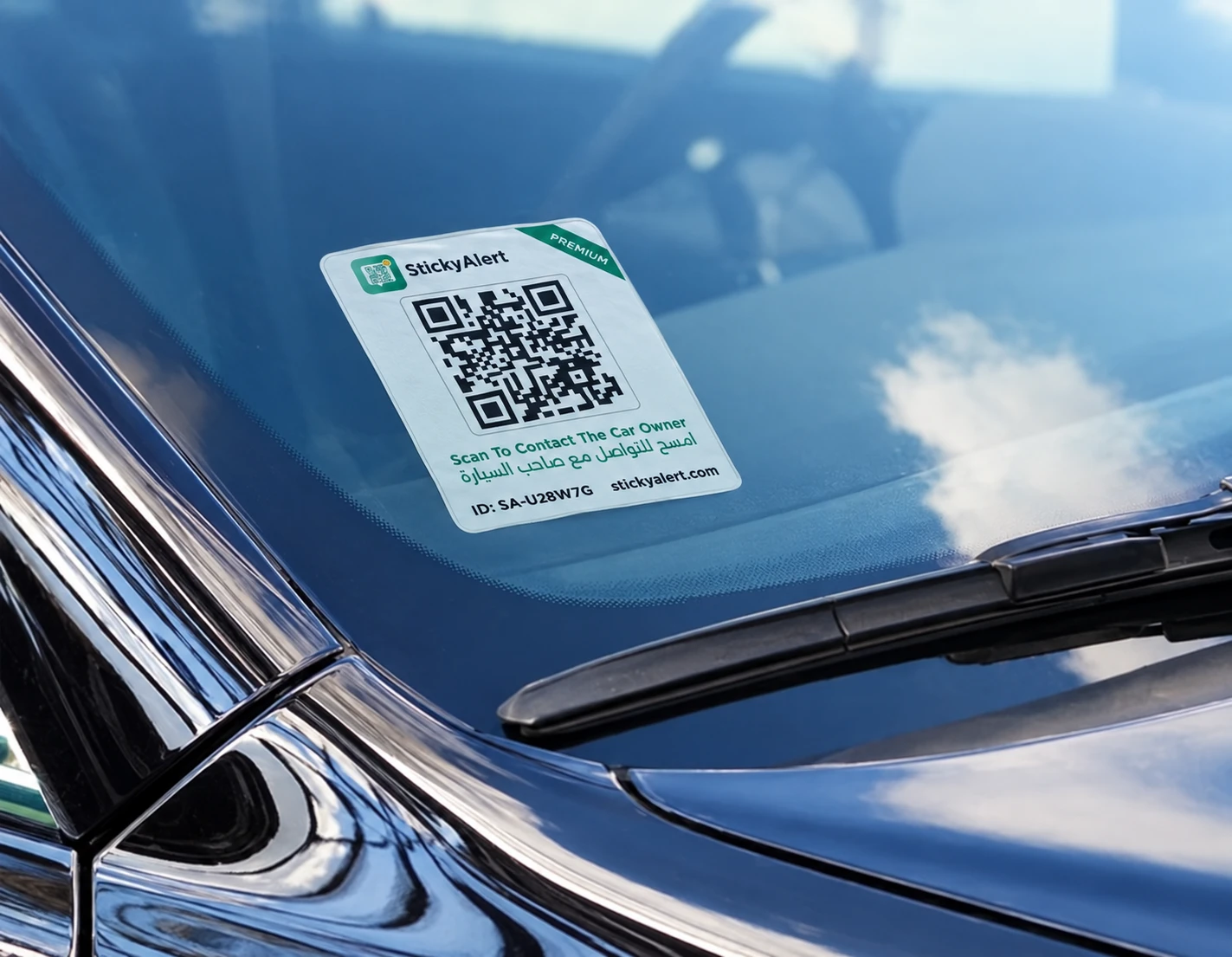
Scan To Contact The Car Owner
امسح للتواصل مع صاحب السيارة
ID : SA-U28W7G stickyalert.com
The free digital code is great to get started, but paper fades. Our Premium sticker is professionally printed, UV-resistant, and built to survive the UAE sun — delivered directly to your door.
A culture where reaching someone doesn't mean exposing them. Where anyone can help you without ever needing your personal information. Where privacy is the default — not the exception.
One private identity system, for anything — and anyone — that matters to you.
Cars Live
Where we started. Active today.
Any Item Soon
Bags, laptops, keys — anything that matters.
Children, Elderly & Pets Soon
Safety wearables for who you care about most.
We know scanning unfamiliar QR codes makes people nervous — and that's completely fair. Here's exactly how StickyAlert keeps everyone safe.
Every scan opens stickyalert.com — never a shortened link, a redirect, or a third-party domain. You always know exactly where you are.
The person scanning your code doesn't need to create an account, enter a name, or share an email. Just scan, type, send.
Before any message or alert is sent, the screen shows a clear summary of exactly what will happen. No surprises, no hidden actions.
Yes — completely free, permanently. When you add your car or item in the app, your unique QR code is generated instantly at no charge. No trial period, no credit card, no expiry. You download it, print it at home, and you're live.
Yes. The StickyAlert app is what connects a scan to a notification. Without the app installed and your item registered, no one can reach you when your code is scanned. Setup takes under two minutes.
Never. Your number is never visible to anyone who scans your code. All communication is relayed through StickyAlert's anonymous messaging system.
The free code is a digital file you print at home on regular paper — it works perfectly, but paper fades over time. The Premium sticker is professionally printed on UV-resistant material, delivered to your door.
Each anonymous chat session stays active for up to 48 hours from the moment it's started. After that, the conversation closes automatically. Neither party retains the other's contact information after it ends.
Currently, StickyAlert is available on iOS. Android support is in development and coming soon. Anyone on Android can still scan and send an alert through any phone's camera — no app needed for the person reporting.
Every genuine StickyAlert code opens stickyalert.com directly — never a shortened URL or unfamiliar domain. The page will show the StickyAlert brand, explain clearly what you're about to do, and ask for your confirmation before anything is sent. If you see anything unusual, do not proceed.
Set up your car, get your QR code, and stay reachable, all in under a minute.
Already have a sticker? Open the app and scan it to activate.